
Cursor Rules

I think everyone has heard about Cursor.ai for a long time and many have even tried it out. I think you will agree that it is a very useful and necessary tool that can significantly speed up the development process and remove the boring and routine part of the work.
Cursor.ai is based on the open-source part of VS Code and looks exactly the same, in addition it supports extensions from your VS Code and automatically pulls them in, which is very convenient because it will be customized for you out of the box.
But coding with LLMs has a specific quirk: they possess strong contextual memory but lack episodic memory.
In simpler words, they recall information within a single conversation but forget everything once a new chat session begins. No learnings from previous chats on how you like things. No accumulation of institutional quirks and knowledge.

Think about it like working with a brilliant assistant who has amnesia. Every day, you repeat the same instructions:
- "Remember, we use camelCase here."
- "Our shared utilities go in the
libfolder with this specific structure." - "This is how the backend API expects requests."
- "We use this specific folder structure for our projects."
If you use Cursor often, this should sound familiar. You constantly nudge the AI back toward your project's standards and personal preferences.
We work with intelligent LLMs that are powerful but start fresh in every new chat. They have no memory of your preferences, how you structure your projects, how you like things done, or the institutional knowledge you've accumulated.
Without a system to give the AI this information, you'll keep wasting time on repetitive explanations. Fortunately, Cursor provides built-in ways to create such systems.
How do we do this? Cursor rules

Cursor Rules are permanent instruction documents for the AI within your projects.
For each git repository, you create rule files (stored in .cursor/rules/) that tell the LLM how to work with your specific codebase. Different repositories can have different rules, and each repository typically has multiple rules addressing various aspects of the project.
These rules solve the AI's memory gap. They act as instruction documents, teaching the AI your project's patterns and preferences. When Cursor sees a file matching a rule's pattern (glob), it loads that knowledge automatically. This creates consistency every time you chat with the AI.
Here is an official documentation link.
Use AI to write the rules for itself.
This means creating one rule that serves as a template for writing all other rules. It defines the structure and content all your rules should follow.
Once you have this meta-rule, the process becomes simple:
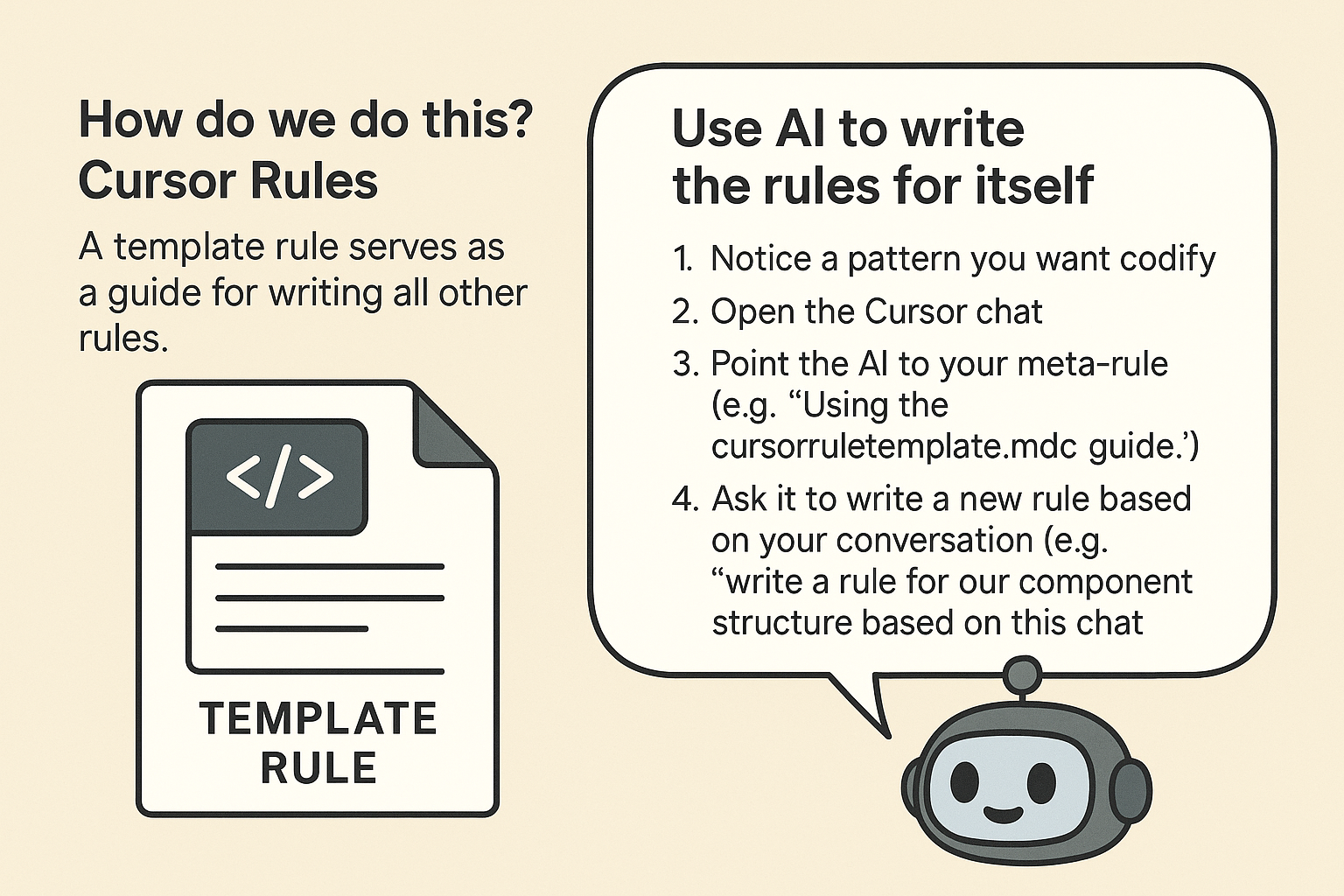
In practice, there are two common scenarios:
- During a long coding session: After spending hours working with the AI on a specific pattern or convention, I realized, "I don't want to explain this again next time." I simply tell the AI: "Based on everything we've discussed so far and following the meta-cursor rule pattern, please create a rule for this approach and name it appropriately." The AI drafts it, and I save it for future use.
- When I have a specific idea: Sometimes I already know exactly what pattern I want to codify. I'll open a chat, briefly describe my intention, point to the meta-cursor rule, and ask the AI to write a targeted rule. It's like dictating my thoughts directly into a structured document.
This approach drastically reduces the effort needed to build your rule library. The AI follows your template to generate well-structured drafts that you can quickly improve, save and use.
Example of Meta-Cursor rule

Here is actual meta-cursor rule that I found and use across all my repositories. This is a plug-and-play solution you can copy directly into your own projects.
Simply save this as .cursor/rules/cursorruletemplate.mdc (you can change the filename) and it will work as your foundation for creating all other rules:
🚀 Conclusion
Using a meta-rule like this is a powerful way to build more consistent and efficient systems for working with AI. By teaching your AI how to generate its own documentation, you reduce the need to repeat instructions and improve the reliability of your results.
This creates a positive feedback loop: the more structure you give your AI, the more time you save, and the more consistent your projects become. A small upfront investment in defining a solid meta-rule quickly pays off.
As AI becomes more deeply integrated into development workflows, those who create well-structured systems will have a major edge.
I recommend giving this approach a try in your own projects. Start small—with one or two essential patterns—and observe how quickly your AI collaboration improves.
Member discussion