
Advanced Prompting Strategies

Once you’ve mastered the core framework, the next step is to layer on advanced techniques. These help you unlock higher precision, reduce wasted iterations, and guide AI systems toward expert-level performance.
1. Ask for Clarification
Purpose: Prevents wasted work when requirements are underspecified. Instead of the AI guessing your intent, it confirms missing details first.
Implementation: Tell the AI to pause and ask focused questions before producing an answer.

Example: API Development
Prompt:
I need a NestJS endpoint to upload images to S3 with presigned URLs.Before writing code, ask up to 5 questions about auth, file size limits, content-type validation, and S3 bucket policy.
AI Response (Clarification Phase):
- Should uploads require authentication, or are they public?
- What is the max file size limit we should enforce?
- Do we need to restrict file types (e.g., only
.jpg,.png)? - Should the presigned URL expire after a specific duration?
- Is the S3 bucket private or public-read?
Final Output (once clarified):
POST /upload/presignendpoint- Validates file size & MIME type
- Returns a presigned URL with a 5-minute expiry
- README snippet describing usage
2. Step-by-Step Reasoning
Purpose: Reduces errors on complex or multi-phase tasks. The AI first produces a plan → then executes it.
Implementation: Force a “PLAN → DO” workflow.

Example: Debugging a Database Bug
Prompt:
A Prisma query intermittently returns empty results in production. Tackle this in two phases:
- PLAN → outline the steps to take (bulleted, concise).
- DO → carry out the solution. If a step seems risky, ask questions before DO.
AI Response:
(PLAN):
- Compare prod vs dev environments (schema, data volume).
- Add logging around query execution.
- Test query with/without transaction scope.
- Check if caching layer interferes.
- Identify possible race conditions.
(DO):
- Root cause: in production, the query was wrapped in a transaction with
readUncommitted, causing race conditions. - Fix: enforce
readCommitted. - Code snippet:
await prisma.$transaction(async (tx) => {
return tx.order.findMany({
where: { status: 'PENDING' },
});
}, { isolationLevel: 'ReadCommitted' });
3. Few-Shot Learning
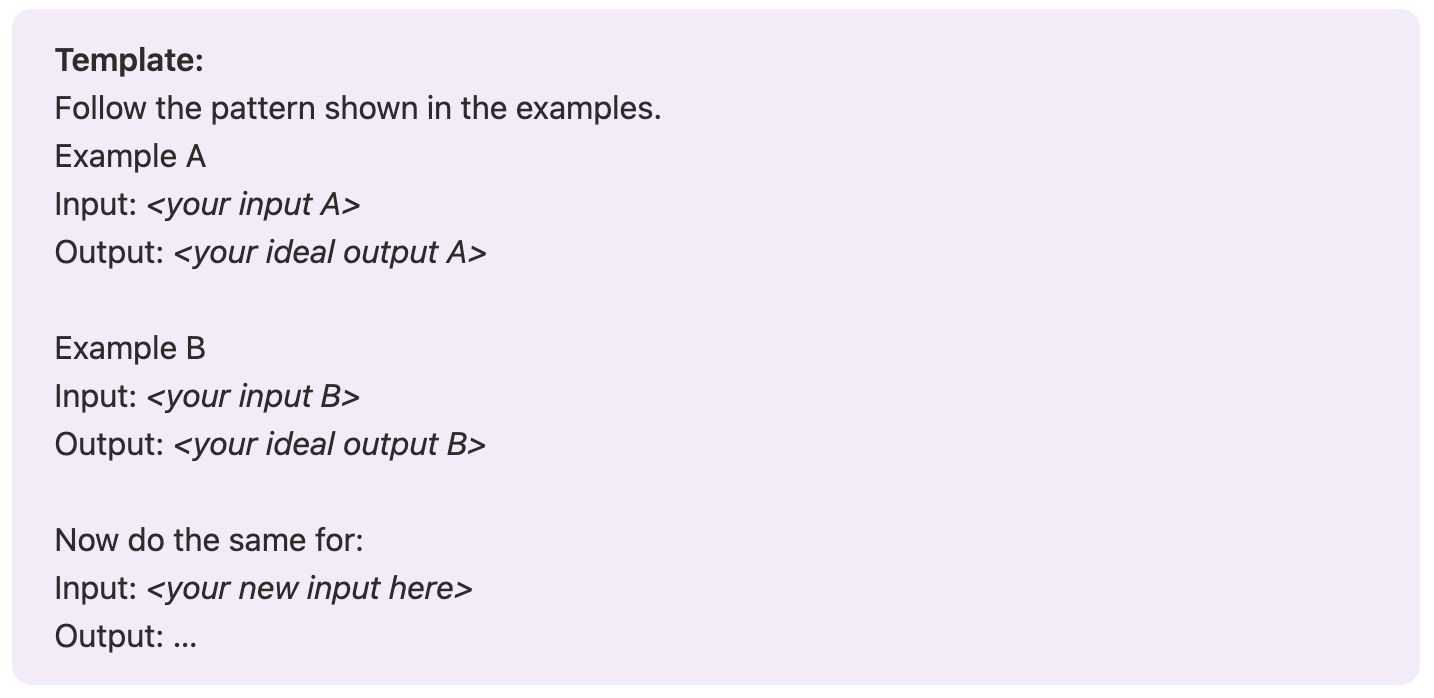
Purpose: Shows the AI how you want responses by giving examples (input → output). This is especially useful for standardization.
Implementation: Provide multiple examples, then a new input, and let the AI infer the correct output style.
Example: Standardizing Commit Messages
Prompt:
Standardize commit messages to follow the conventional commits + details style.
Examples Given:
Example A
Input: feat: add login
Output:
feat(auth): add email/password login with rate-limit (#123)
- adds POST /auth/login
- integrates Redis-based limiter
- improves error handling
Example B
Input: fix: null pointer in handler
Output:
fix(orders): guard null shipmentId in create handler
- prevents crash on guest checkouts
- adds unit tests
New Input:
chore: update prisma to latest
AI Response (Output):
chore(deps): update Prisma to v5.2.0
- upgraded client and migrate packages
- ran prisma generate for updated types
- verified backward compatibility in dev
💡 Why it works: The AI isn’t just copying text — it’s learning the format (prefix + scope + description + bullet details). This is called few-shot learning.
4. System/Role Definition
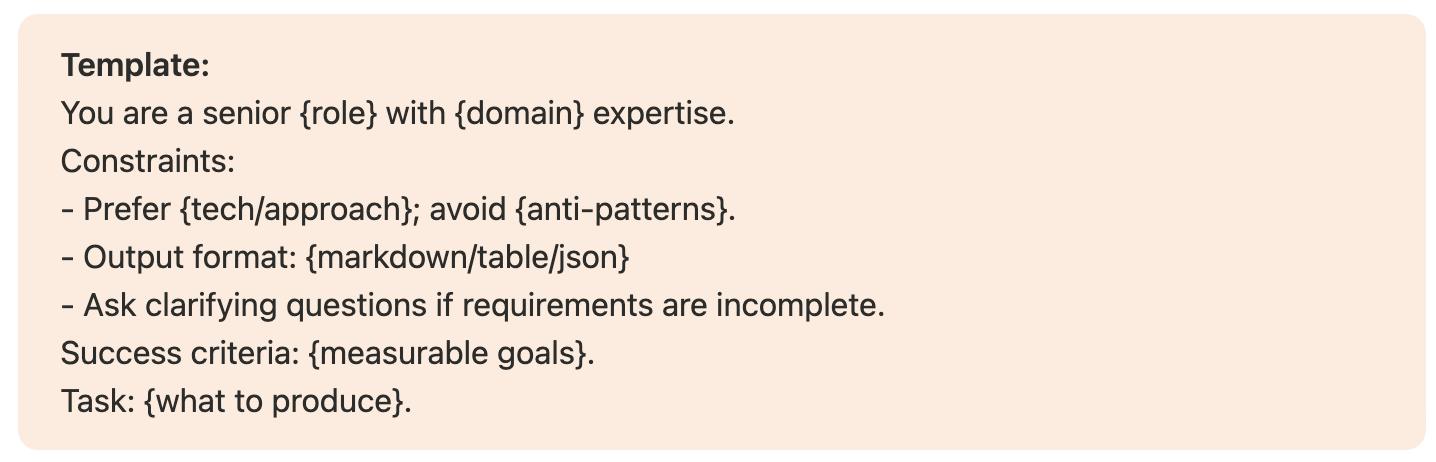
Purpose: Controls the AI’s identity, rules, and constraints. This boosts consistency and domain-specific accuracy.
Implementation: Tell the AI “who it is,” what to avoid, and how success is measured.
Example: System Architecture
Prompt:
You are a senior backend engineer with PostgreSQL and NestJS expertise. Constraints:
- Prefer Prisma migrations; avoid raw SQL unless justified.
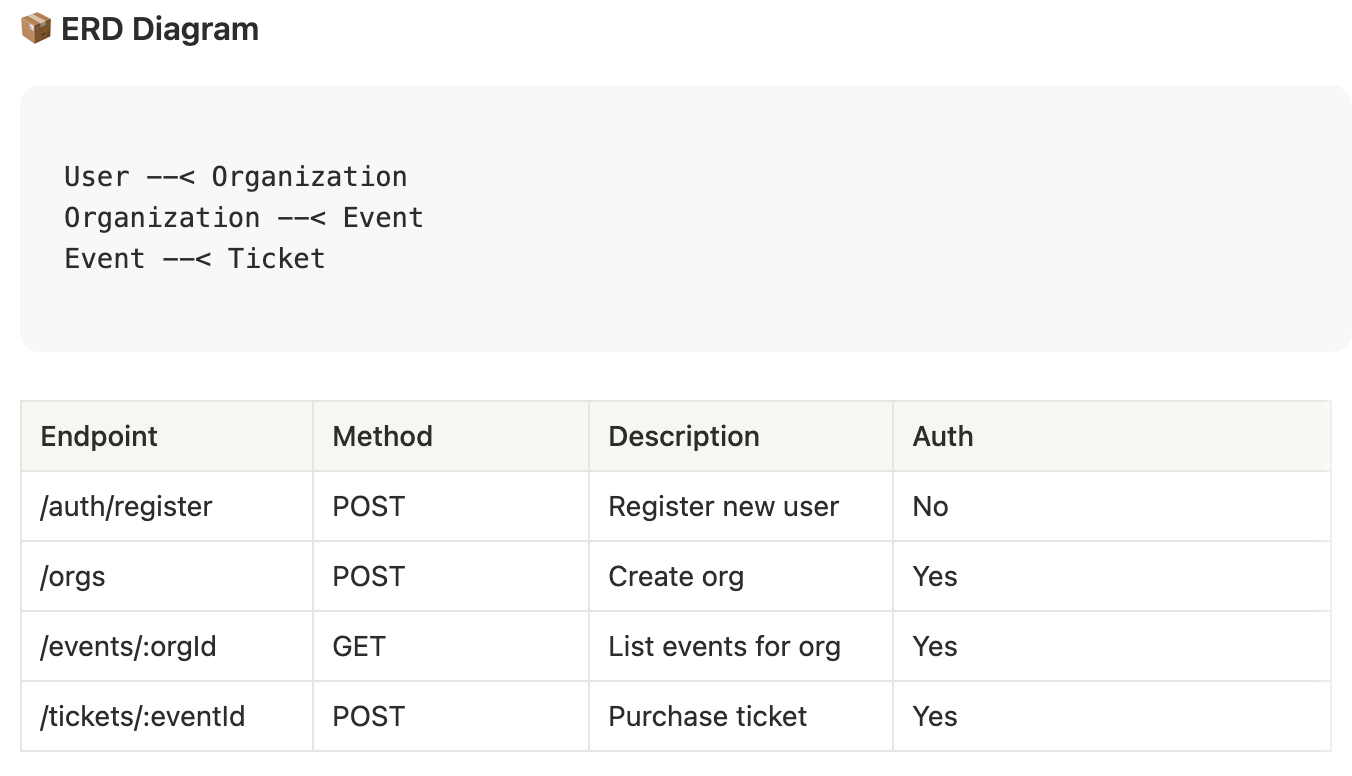
- Output format: Markdown with ASCII ERD diagram, endpoint table, and risk list.
- Ask clarifying questions if unclear. Success criteria: coherent ERD, pagination, and auth flow. Task: Propose a minimal event management API.
AI Response (Output):
📦 ERD Diagram
User --< Organization
Organization --< Event
Event --< Ticket
⚠️ Risks
- Payment fraud → integrate Stripe
- Event overbooking → optimistic locking
- High-volume reads → add Redis caching
5. Iterative Refinement
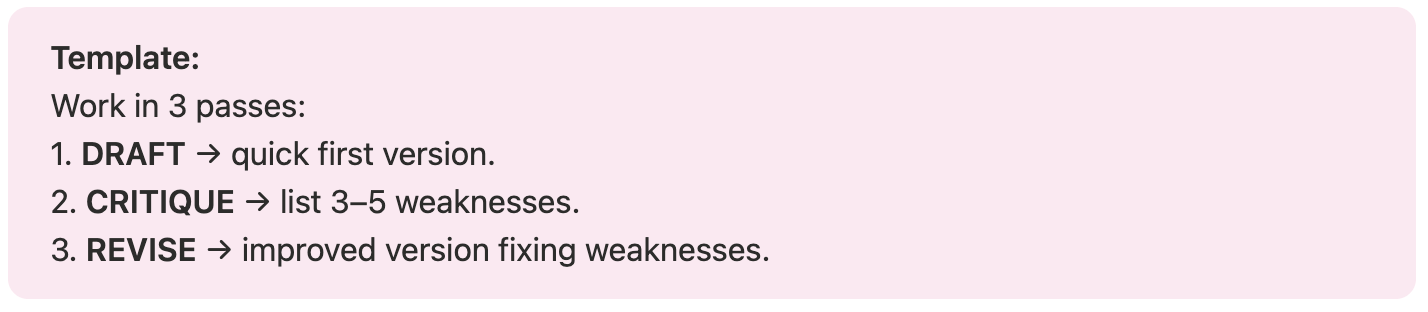
Purpose: Produces better results by drafting → critiquing → revising.
Implementation: Build in self-review loops.
Example: React Component Design
Prompt:
Design a reusable React <DataTable /> component API. Follow DRAFT → CRITIQUE → REVISE:
- DRAFT: prop types, basic usage snippet, and minimal features.
- CRITIQUE: identify accessibility, virtualization, and sorting concerns.
- REVISE: update the API and add a usage example with TanStack Table interop.
AI Response:
DRAFT:
type DataTableProps = {
data: any[];
columns: string[];
onRowClick?: (row: any) => void;
};
export function DataTable({ data, columns, onRowClick }: DataTableProps) {
return (
<table>
<thead>
<tr>{columns.map((col) => <th key={col}>{col}</th>)}</tr>
</thead>
<tbody>
{data.map((row, i) => (
<tr key={i} onClick={() => onRowClick?.(row)}>
{columns.map((col) => <td key={col}>{row[col]}</td>)}
</tr>
))}
</tbody>
</table>
);
}
CRITIQUE:
- ❌ Accessibility: missing ARIA roles for screen readers.
- ❌ Scalability: no virtualization for large data sets.
- ❌ Flexibility: only plain text cells, no custom renderers.
- ❌ Features: lacks pagination or sorting.
- ❌ Style: raw HTML table, no styling API.
REVISE:
type Column<T> = {
key: keyof T;
label: string;
render?: (value: any, row: T) => React.ReactNode;
};
type DataTableProps<T> = {
data: T[];
columns: Column<T>[];
onRowClick?: (row: T) => void;
virtualized?: boolean;
};
export function DataTable<T>({ data, columns, onRowClick, virtualized }: DataTableProps<T>) {
return (
<table role="table" aria-label="Data table">
<thead>
<tr role="row">
{columns.map((col) => (
<th key={String(col.key)} role="columnheader">
{col.label}
</th>
))}
</tr>
</thead>
<tbody>
{data.map((row, i) => (
<tr key={i} role="row" onClick={() => onRowClick?.(row)}>
{columns.map((col) => (
<td key={String(col.key)} role="cell">
{col.render ? col.render(row[col.key], row) : String(row[col.key])}
</td>
))}
</tr>
))}
</tbody>
</table>
);
}
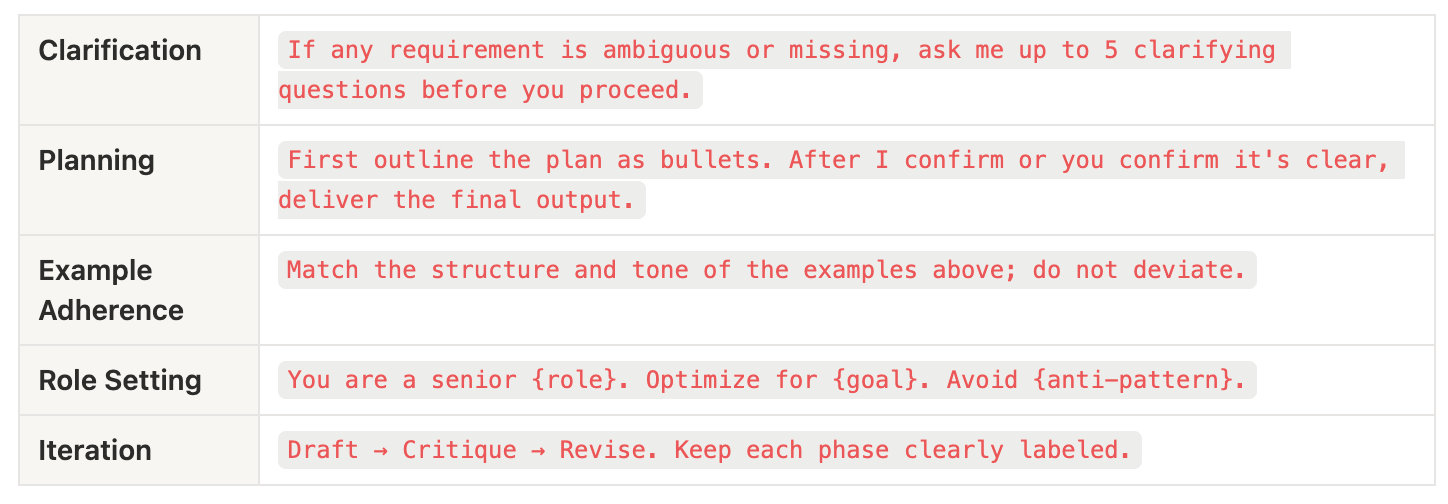
Quick Reference: Copy-Paste Prompt Enhancers
Text for copy-paste
Clarification: If any requirement is ambiguous or missing, ask me up to 5 clarifying questions before you proceed.
Planning: First outline the plan as bullets. After I confirm or you confirm it's clear, deliver the final output.
Example Adherence: Match the structure and tone of the examples above; do not deviate.
Role Setting: You are a senior {role}. Optimize for {goal}. Avoid {anti-pattern}.
Iteration: Draft → Critique → Revise. Keep each phase clearly labeled.
Member discussion